For the past few weeks I’ve been working on a new module for TalentoHQ, Digital Signatures. As it is already tested and we have received positive feedback from users, I wanted to share it.
The problem
It all started when a client approached us with a struggle they had, dealing with contracts and consents, having to print, sign, scan, upload and send them to clients or employees manually. So my father and I decided it was a good idea to add an automation solving this problem as a new module for the app.
The approach
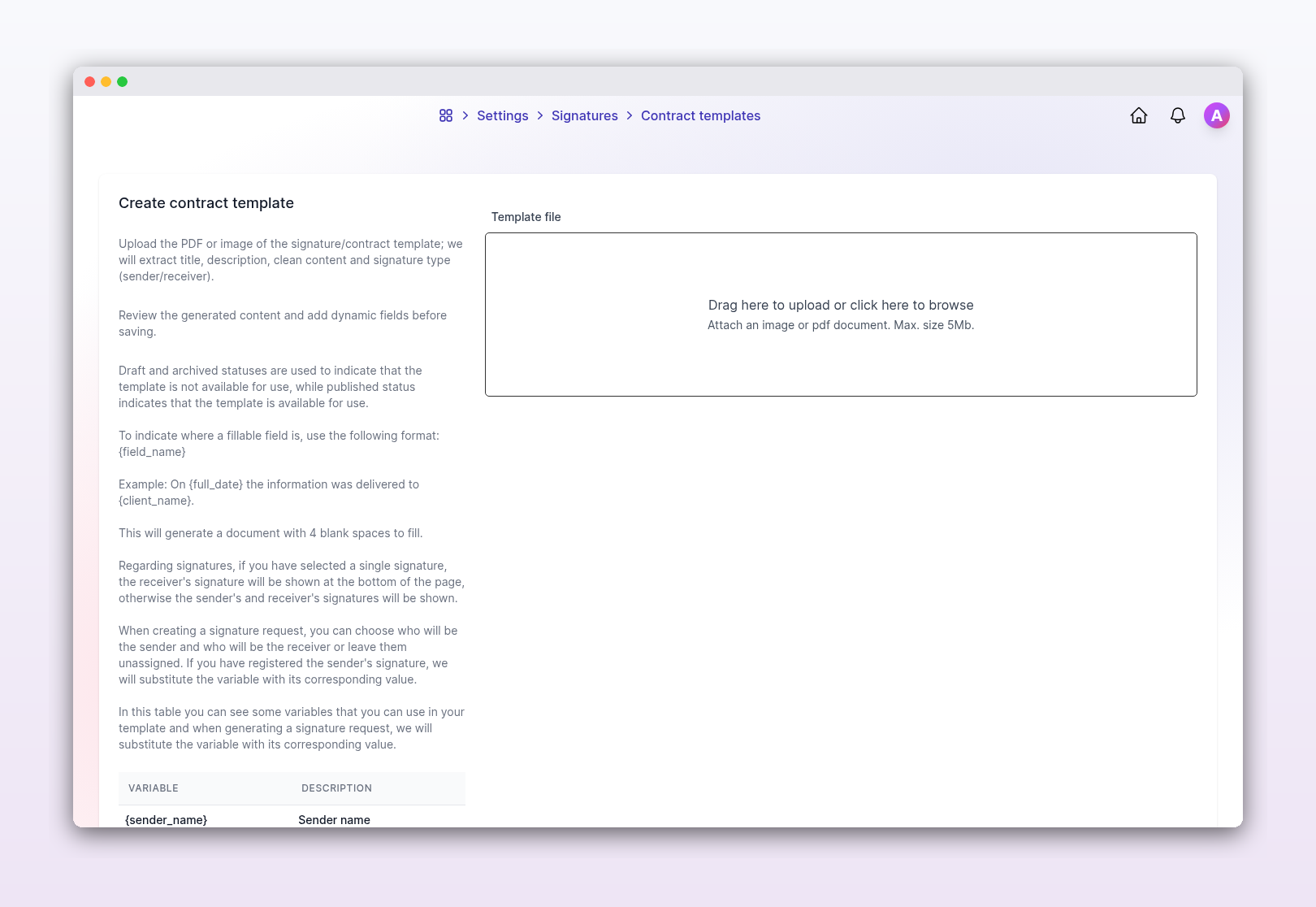
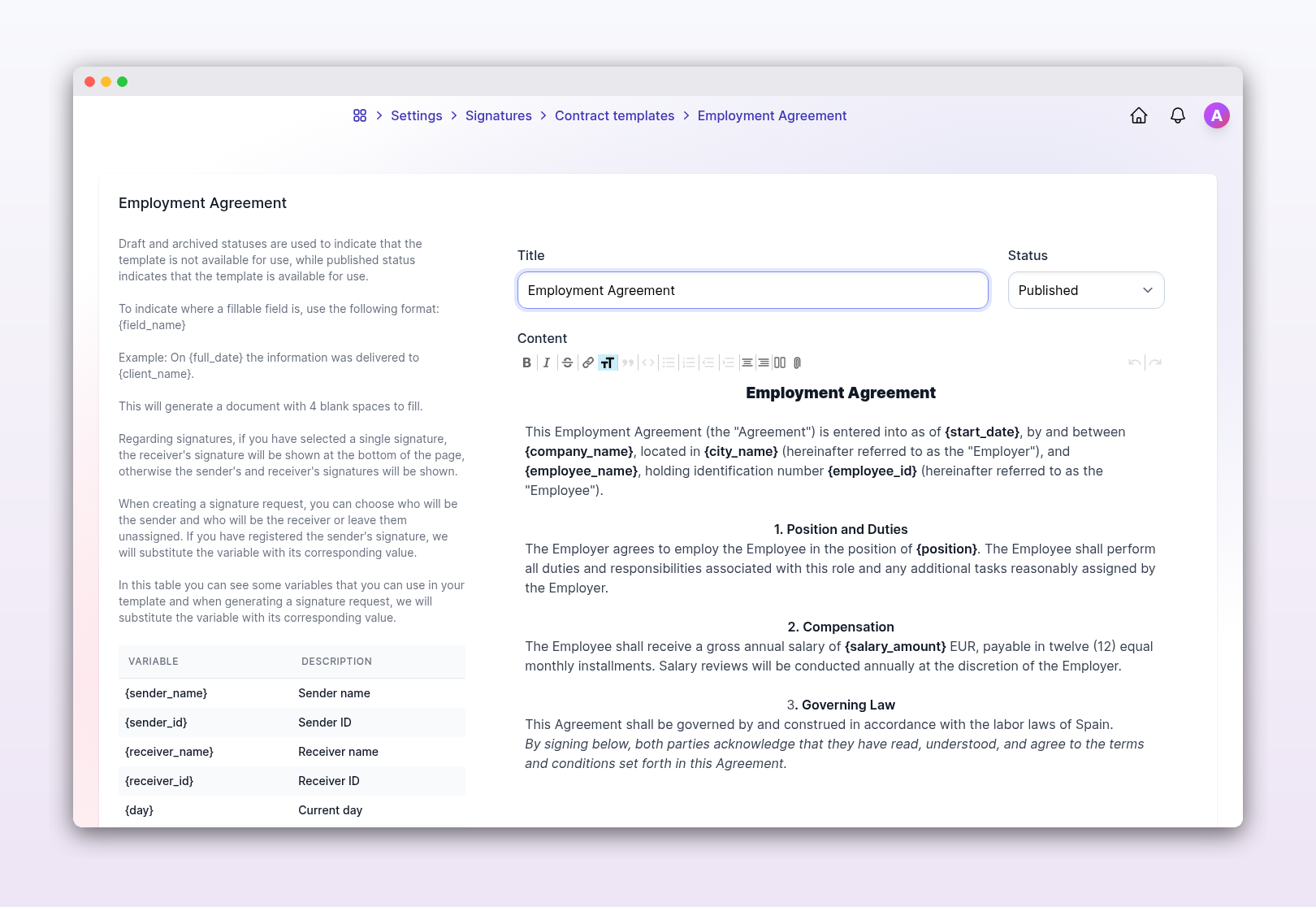
The approach of the feature is creating contract templates where users can drop a document and add dynamic variables such as {salary_amount} or {city_name}. Then you can create signature fields that, to make it work for everyone, we divided into two roles: the Sender (the company representative) and the Receiver (the client).
As companies usually have many consents or contracts, one of the pain points we identified was the effort required to move from an old paper contract to a digital template. We saw a great opportunity to solve this problem using a document uploader with some AI in the background.
Now, a user can simply upload a photo or a PDF of an old contract, the AI analyzes the text, identifies where the variables should go, and recreates the structure inside our app. Most of the time you upload the document and the next screen you see is the full form ready to save. It saves a lot of manual data entry and feels a bit like magic when you see your old PDF turn into a functional web template.
How it works
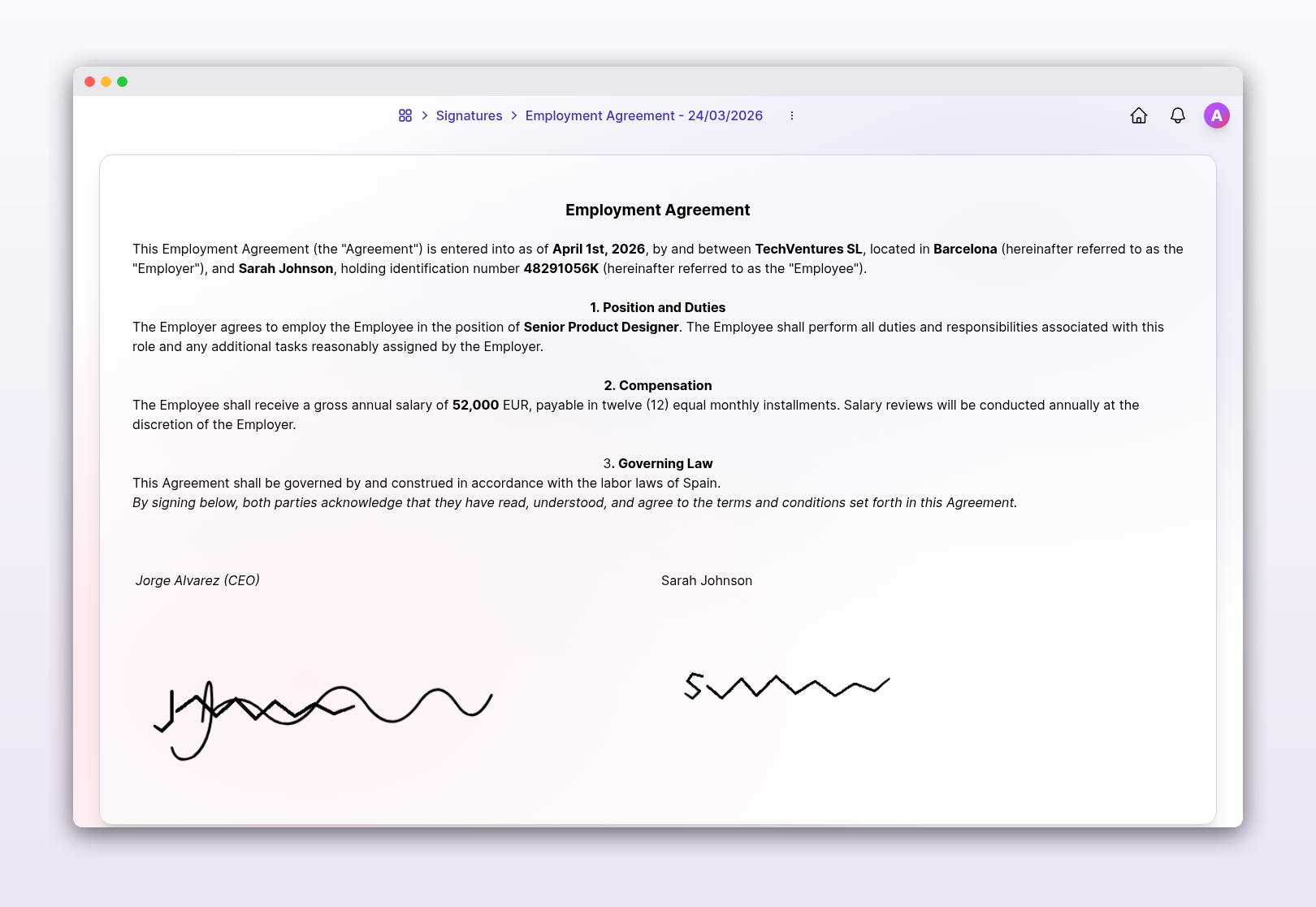
When you generate a contract, fill the variables, if you chose dynamic ones like {sender_name} or {receiver_id}, the app fills them in automatically based on the people you selected. When variables are ready you can generate the document, ready to be signed through a custom canvas pad.
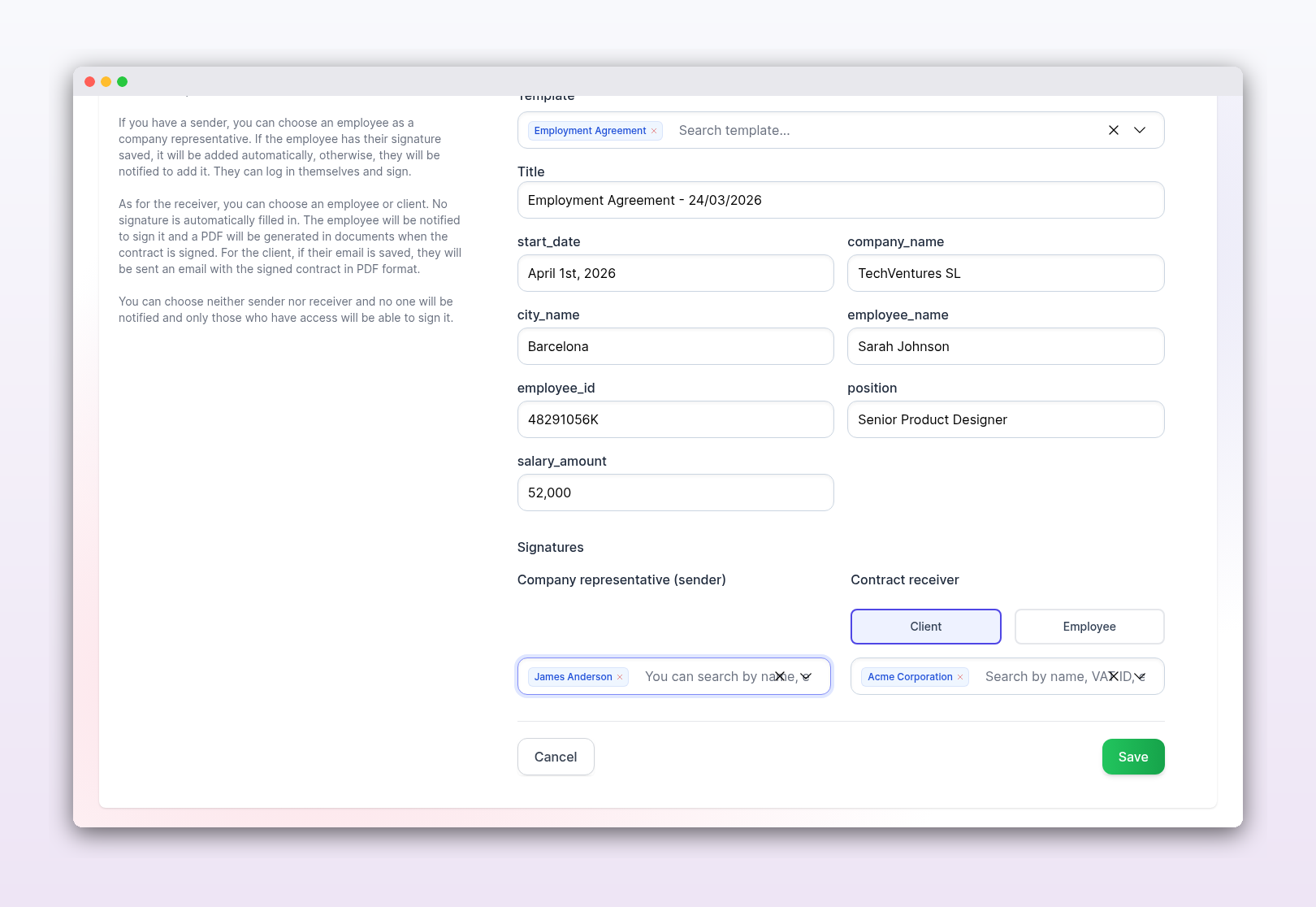
If you selected an employee as the sender and we have their signature saved, the system adds it automatically to the document. If they don’t have one yet, the app sends them a notification so they can jump in and sign it themselves.
For the Receiver, if you chose a client we will send them the contract via email. If it is an employee we will add it into their documents, in both cases as a PDF.
You can even leave the roles blank if you just need a general document for anyone with access to sign. This makes the system flexible for any type of document signing happening inside a company.
Integration with onboardings
With this solution the problem described by the client was solved, but we saw another useful integration with onboardings. Usually first days at a new job involves a ton of paperwork to sign, to improve this I made it possible to add a “Sign Document” action in the onboarding process. You just select the template, and the moment a new employee starts their onboarding, the contract is waiting for them. It completely removes the need for HR to manually send files back and forth, making the welcome process much more professional and faster.
Under the hood
On the technical side, I wanted the experience to feel modern and fast. Here’s a quick look at what’s under the hood:
Mistral AI: The AI-powered template creation relies on two Mistral models working in sequence. First, their OCR model extracts the raw text from the uploaded document. Then, Mistral Small takes that text and generates a structured JSON response with the identified variables and sections, which I inject directly into the template form.
Stimulus & Canvas: I used a Stimulus controller to handle the signature capture on a HTML5 Canvas. It’s lightweight and handles touch events perfectly for mobile and large-screens users.
Ferrum_pdf: To generate documents I went with ferrum_pdf over alternatives like wicked_pdf or Prawn because it runs on headless Chrome, so I can reuse my existing views and Tailwind classes directly. The printed contract looks identical to the one on screen, with zero extra CSS.
Hotwire: As a Rails developer, I’m a big fan of Hotwire. I used Turbo Frames to handle the transitions without a single full-page reload.
Wrapping up
Building this module taught me a lot about document handling and how AI can be used for practical, boring tasks like data entry to make them actually interesting. It’s been a great experience working on this and seeing how a few lines of Ruby can solve a real headache for our users.
I’d love to hear your opinion. Any improvement, doubt or just any thought are welcome, feel free to contact me.
Thank you for reading.